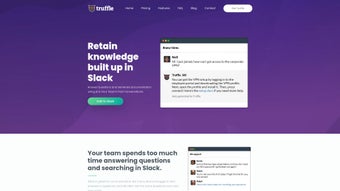

Download Truffle – AI‑Powered Slack App for Automated Q&A and Knowledge Building
Introduction: Why Teams Need an AI‑Driven Knowledge Assistant
In today’s fast‑paced work environment, teams spend a surprising amount of time hunting for information that already exists somewhere in their chat history. Whether it’s a forgotten project deadline, a piece of code syntax, or a policy update, the repetitive act of asking the same question over and over can drain productivity and morale. Truffle enters the scene as an AI‑powered Slack app designed to eliminate that friction.
By automatically extracting, summarizing, and indexing past conversations, Truffle transforms Slack from a simple messaging platform into a living knowledge base. The app offers instant answers, context‑rich summaries, and a searchable archive—all without leaving the Slack workspace. For organizations that already rely on Slack for collaboration, Truffle promises a seamless, secure, and scalable solution to the “Where did we discuss this?” problem.
Its free trial lets teams test the benefits first‑hand, while the subscription model (starting at $50 per month) scales with usage. Beyond the core functionality, Truffle includes granular privacy controls, analytics dashboards for administrators, and the ability to flag inaccurate responses for continuous improvement. In the sections that follow, we’ll explore the full feature set, walk through a step‑by‑step installation, examine compatibility and the pros versus cons, and answer the most common questions prospective users have.
By the end of this review, you’ll know whether Truffle is the right tool to boost your team’s knowledge sharing and overall efficiency, and you’ll have a clear call‑to‑action for downloading the app.
Feature Set: What Truffle Brings to Your Slack Workspace
- AI‑Driven Q&A Engine – Natural‑language processing scans past Slack threads to deliver concise answers in real time.
- Automatic Summarization – Long discussions are condensed into bite‑size summaries that capture key decisions and action items.
- Searchable Knowledge Archive – Every extracted fact is indexed, enabling instant keyword search across all channels.
- Contextual Linking – Answers include links back to the original messages, preserving context and source credibility.
- Team‑Wide Learning – New members can catch up quickly by browsing the auto‑generated knowledge base.
- Configurable Privacy Controls – Admins can set permissions to ensure sensitive information stays within authorized channels.
- Free Trial & Flexible Pricing – Teams can test the app for 14 days; paid plans start at $50/month with volume discounts.
- Seamless Slack Integration – No extra browser extensions or desktop apps; Truffle lives directly inside Slack.
- Analytics Dashboard – Administrators receive insights on query volume, most‑asked topics, and AI confidence scores.
- Feedback Loop – Users can flag incorrect answers, prompting the system to retrain and improve accuracy over time.
Each feature is built around the central goal of reducing manual search effort. The AI engine, powered by large‑language models, not only retrieves exact phrase matches but also understands intent, allowing users to ask questions like “How do we handle client data backups?” and receive a concise answer drawn from multiple past threads. Automatic summarization saves time by turning lengthy brainstorming sessions into digestible bullet points, which can be pinned for future reference.
The searchable archive works like an internal wiki that updates itself as conversations evolve, eliminating the need for separate documentation tools. Additionally, Truffle’s privacy settings respect corporate compliance standards, letting administrators decide which channels are indexed and which remain private. The analytics dashboard gives leadership a bird’s‑eye view of knowledge‑sharing health, highlighting gaps that may need dedicated documentation.
Finally, the feedback loop ensures that the AI improves as your team interacts with it, creating a virtuous cycle of increasing relevance. Together, these capabilities position Truffle as a powerful knowledge‑automation layer for any Slack‑centric organization looking to turn chatter into actionable insight.
Installation & Usage: Getting Up and Running in Minutes
Step‑by‑Step Installation Guide
- Visit the Truffle website and click “Add to Slack.”
- Authenticate with your Slack workspace credentials; you’ll be prompted to grant Truffle permission to read channel history and post messages.
- Select the channels you want Truffle to monitor. For best results, start with high‑traffic project or support channels.
- Configure privacy settings—choose whether Truffle can index private groups, direct messages, or only public channels.
- Complete the setup wizard, which includes a short tutorial on how to ask questions using the “/truffle” slash command.
- Optionally enable the analytics dashboard for admin‑level insights and fine‑tune summarization length and tone.
- Invite team members to a brief onboarding session, demonstrating typical queries and the flag‑for‑review process.
Daily Workflow with Truffle
Once installed, using Truffle is as simple as typing /truffle followed by your question. For example, a developer can type /truffle how do we deploy to staging? and receive an answer within seconds, complete with a link to the original discussion thread. The app also supports “auto‑summarize” triggers; after a meeting ends, Truffle can automatically post a summary in a designated channel.
Teams can bookmark frequently asked questions, creating a “quick‑access” list that surfaces the most common queries on demand. If an answer seems outdated, users can flag it for review, prompting the AI to re‑evaluate the source material. All interactions are logged, giving administrators insight into usage patterns and knowledge gaps that may need further documentation.
The learning curve is minimal because Truffle leverages Slack’s native interface. No separate dashboard is required for everyday queries, though administrators can access an optional analytics portal to monitor adoption metrics, search trends, and AI confidence scores. This portal also allows fine‑tuning of summarization settings, such as length and tone, ensuring the generated content aligns with your organization’s communication style. For power users, Truffle supports bulk export of summarized knowledge bases in markdown or PDF format, enabling offline archiving or integration with other knowledge‑management systems. Overall, installation and day‑to‑day usage are designed to be frictionless, making it easy for teams to adopt the tool without extensive training while still offering advanced controls for IT and compliance teams.
Compatibility, Pros & Cons, and Frequently Asked Questions
Truffle is a cloud‑based Slack app, meaning it works wherever Slack does—on Windows, macOS, Linux desktops, as well as iOS and Android mobile devices. Because it runs inside Slack, there’s no need for additional operating‑system‑specific installations. The only prerequisite is a Slack workspace with appropriate admin permissions to authorize third‑party integrations.
Pros
- Instant AI‑driven answers reduce time spent searching for information.
- Automatic summarization turns long discussions into concise, searchable notes.
- Seamless integration—no extra apps or browser extensions required.
- Configurable privacy ensures compliance with data‑security policies.
- Free trial lets teams evaluate ROI before committing to a subscription.
- Analytics dashboard provides visibility into knowledge‑sharing health.
- Feedback loop improves answer accuracy over time.
Cons
- Limited to Slack; teams using other collaboration tools (Microsoft Teams, Discord) cannot benefit.
- Summarization accuracy depends on the quality of original conversation; occasional mis‑interpretations may occur.
- Subscription cost ($50/month for the base plan) may be prohibitive for very small teams.
- Data privacy concerns—some organizations may be wary of an AI service indexing internal chats.
- No native multi‑channel broadcast; answers stay within Slack unless manually shared elsewhere.
Frequently Asked Questions
How does Truffle protect my company’s data?
Truffle respects Slack’s native permission model. It can only read messages in channels you explicitly authorize, and all data is encrypted in transit and at rest. Admins can also disable indexing for sensitive channels, ensuring confidential information never enters the AI’s training set.
Can I customize the summarization length or style?
Yes. Through Truffle’s admin dashboard, you can set summary length (short, medium, long) and choose a tone (formal, conversational). These preferences apply globally or can be set per‑channel for more granular control.
Is there a limit to how many questions I can ask per day?
During the free trial, Truffle allows up to 500 queries per month. Paid plans offer unlimited queries, with higher‑tier subscriptions providing priority processing and faster response times.
What happens if Truffle returns an inaccurate answer?
Users can flag any response as “incorrect.” The system then retrains on the corrected information, and administrators receive a notification to review the flagged content. This feedback loop helps improve accuracy over time.
Can Truffle be used on mobile Slack clients?
Absolutely. Because Truffle runs as a Slack app, the same slash commands and answer cards appear on iOS and Android Slack apps, giving team members on the go the same instant access to knowledge.
Conclusion: Should You Download Truffle?
If your organization lives inside Slack and struggles with information silos, Truffle offers a compelling blend of AI‑driven Q&A, automatic summarization, and searchable knowledge archives—all without leaving the platform you already trust. The free trial lets you test the impact on repetitive question time and team onboarding speed. While the single‑platform focus and subscription cost are considerations, the productivity gains often justify the investment for teams that prioritize rapid, accurate information retrieval. Ready to turn your Slack history into a living knowledge base? Download Truffle today and start empowering your team with instant answers.



.png)



